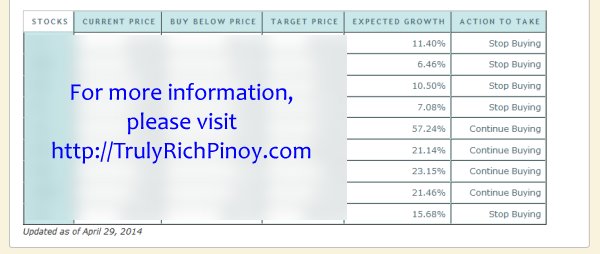
It’s easy to invest in the stock market, thanks to the tips we receive inside the Truly Rich Club. For example, let’s look at this table:
Now let’s understand what the table means…
Online Marketing | eLearning | Finding your Dream Home
By SWAmazing Admin - Kung gusto mong kumita ng pera online na pambili ng mga latest GADGETS, pang Gimik TRAVEL, o pang KOTSE, mag CLICK ka dito!

It’s easy to invest in the stock market, thanks to the tips we receive inside the Truly Rich Club. For example, let’s look at this table:
Now let’s understand what the table means…
By SWAmazing Admin - Kung gusto mong kumita ng pera online na pambili ng mga latest GADGETS, pang Gimik TRAVEL, o pang KOTSE, mag CLICK ka dito!
A short while ago I published an article called 5 reasons for using Scrivener for writing books. Well, a week or so later I have discovered more about using the program. As usual, I am learning on a need-to-know basis. I realise that this could lead to a lot of wasted time, but the other side of the coin is that I don’t know what I need to know until I need to know it, and so ploughing through the manual or the tutorial could be an even bigger waste of time. Bear in mind that the manual is 540 pages long, and the tutorial takes two hours, and you will see what I mean.
Fortunately, the program is reasonably intuitive in parts, and there is a good help forum.
I wondered: could Scrivener be used to write blog articles?
So, I tried writing a blog post with it. In fact, the article about Scrivener (cited above) was structured using Scrivener.
Having experimented, there are, I think, two advantages in using Scrivener for blog post writing:
More here – Using Scrivener for blogging
By SWAmazing Admin - Kung gusto mong kumita ng pera online na pambili ng mga latest GADGETS, pang Gimik TRAVEL, o pang KOTSE, mag CLICK ka dito!
One of the greatest benefits of Scrivener is its ability to help manage sections of a book-length document. You can quite literally select a section of your book, and then drag it and drop it to another part of your book without any fuss.
Scrivener’s Binder (the left pane in Scrivener) also allows you to see at a glance which sections you’ve written, which can then help you to do determine which sections you may still need to write.
But not everyone is comfortable with Scrivener at first. Things may not be where you expect them to be (though this downloadable cheat sheet can help you get your feet under you). If you prefer to stick with the devil you know, then there’s a way to “hack Word” and get it to behave like Scrivener.
More here – How to Make Word Behave Like Scrivener
Pluggle Journey #5 (pala) – What to do when affiliates shift to another business. (Y) #LamangAngMayAlam #OneNegosyo Message me now at https://facebook.com/messages/t/viloria.net :-)
One of the greatest benefits of Scrivener is its ability to help manage sections of a book-length document. You can quite literally select a section of your book, and then drag it and drop it to another part of your book without any fuss. Scrivener’s Binder (the left pane in Scrivener) also allows you to […]
People have been asking for a SWA Ultimate review, and here’s our updated take on this program. SWA Ultimate, or the Supreme Wealth Alliance Ultimate program is an online library of ebooks and other downloadable files. In addition, it has a member-gets-member program which has a network marketing feel. People refer SWA customers, and they […]
I’ve uploaded the explanation of the first 16 stanzas of Florante at Laura (Kay Selya or Kay Celia)…

Social Security System (SSS) members can now receive salary loans through Citi Visa Prepaid cards. This makes it more convenient to get your loans.